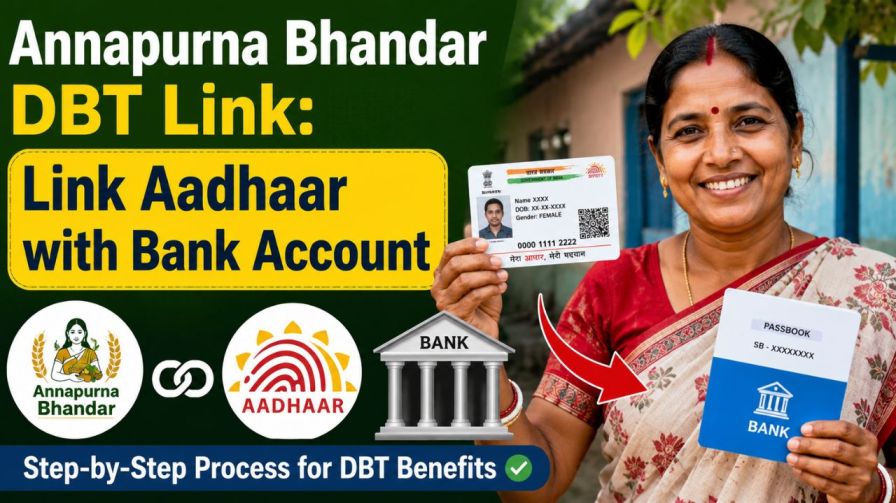
Annapurna Bhandar DBT Link: If you are a beneficiary of the Annapurna Bhandar scheme and wondering why your Rs 3,000 monthly benefit has not arrived yet, the answer is likely a missing step — your Aadhaar is not properly linked to your bank account for Direct Benefit Transfer (DBT). This guide will walk you through every step you need to take, from Aadhaar seeding to NPCI mapping, so that your government benefit reaches your account without any delay.
What Is the Annapurna Bhandar Scheme?
The Annapurna Bhandar scheme is a financial assistance programme introduced by the BJP government in West Bengal. Under this scheme, eligible beneficiaries receive a monthly payment of Rs 3,000 directly into their bank accounts through the DBT mechanism. This scheme also covers those who were previously receiving benefits under the Lakshmir Bhandar scheme.
However, receiving this benefit is not automatic. The government transfers the money only to bank accounts that are properly Aadhaar-seeded and NPCI-mapped. If either of these two steps is incomplete, the amount will not reach you — even if you are otherwise eligible.
Why Is DBT Linking Mandatory for Annapurna Bhandar?
The Indian government uses DBT to send welfare payments directly into the bank accounts of beneficiaries, eliminating middlemen and reducing corruption. For this system to work, the government must know which bank account belongs to which Aadhaar holder.
This is done through two processes:
Aadhaar Seeding — This means registering your Aadhaar number with your bank account so the bank knows your identity.
NPCI Mapping — This is the process through which the National Payments Corporation of India (NPCI) records which bank account should receive DBT payments for your Aadhaar number. Only one account can be active for DBT at a time across all banks.
Both steps must be completed for the Annapurna Bhandar benefit to be credited to your account.
Step 1: How to Link Aadhaar with Your Bank Account (Aadhaar Seeding)
There are two ways to complete this — offline by visiting your bank branch, or online through net banking or a mobile banking app.
Offline Method (Bank Branch Visit)
This is the most reliable method, especially for those who are not familiar with digital banking.
Visit the branch of the bank where you want to receive your Annapurna Bhandar payments. Ask the bank staff for the Aadhaar seeding form or the DBT activation form. Fill in your 12-digit Aadhaar number along with your correct bank account details. Attach a self-attested photocopy of your Aadhaar card and submit it to the bank official. Request the staff to confirm that DBT has been activated on your account.
The bank usually processes this within a few working days and updates your Aadhaar-bank linkage in the system.
Online Method (Net Banking or Mobile Banking App)
If you are comfortable using your bank’s digital services, you can complete Aadhaar seeding from your phone or computer.
Log in to your bank’s official net banking portal or mobile banking application. Look for an option called Aadhaar Linking, Aadhaar Seeding, or a similar label under the Services section. Enter your 12-digit Aadhaar number in the space provided. You will receive an OTP on the mobile number registered with your Aadhaar. Enter the OTP to verify and submit the request.
Most banks complete the process within one to three working days. You can also use your bank’s SMS banking service or customer care helpline to check if the linking was successful.
Step 2: How to Check Whether DBT Is Active on Your Account
Once you believe your Aadhaar has been linked, you should verify that DBT is actually active. There are several ways to do this.
Through the myAadhaar Portal
Go to the official UIDAI portal at myaadhaar.uidai.gov.in. Log in using your 12-digit Aadhaar number and authenticate yourself using the OTP sent to your registered mobile number. Look for the section called Aadhaar-Bank Seeding Status or a similar option. This section will show you which bank account is currently linked to your Aadhaar and whether DBT is active.
Other Ways to Check DBT Status
You can also verify your DBT status through your bank’s mobile app or net banking dashboard, by calling your bank’s customer care helpline, by visiting the bank branch in person, or by using SMS banking if your bank supports it.
Step 3: How to Update Your DBT Bank Account on the NPCI Website
This step is particularly important if your Aadhaar is linked to a different bank account than the one where you want to receive your Annapurna Bhandar or Lakshmir Bhandar payments.
For example, suppose your Aadhaar is currently mapped to an ICICI Bank account for DBT, but you want the scheme money to go into your Punjab National Bank account. Or perhaps you have two accounts with the same bank but the DBT is active on the wrong one. In both these cases, you need to update the NPCI mapping.
Here is how to do it step by step.
Step 1: Open the official NPCI website. From the Customer section on the homepage, find and click on the option called Bharat Aadhaar Seeding Enabler.
Step 2: On the left side of the page, select the option that says Request for Aadhaar Seeding or Deseeding.
Step 3: Enter your 12-digit Aadhaar number and choose the option for Request for Aadhaar Seeding.
Step 4: From the list of banks, select the bank where you want to receive your Annapurna Bhandar or Lakshmir Bhandar benefit amount.
Step 5: Under the Seeding Type section, choose the correct movement type. If you are moving your DBT from one account to another account within the same bank, select Movement — Same Bank with Another Account. If you are switching to a completely different bank, select Movement — From One Bank to Other Bank.
Step 6: Enter your new bank account number carefully and re-enter it to confirm. An OTP will be sent to the mobile number linked to your Aadhaar. Enter this OTP to complete the verification process.
Step 7: Read the terms and conditions, tick the checkbox, fill in the captcha code, and click the Submit button.
Step 8: After a few working days, verify whether the update has been applied by checking through the myAadhaar portal, your bank branch, the bank’s customer care number, or your mobile banking app.
Frequently Asked Questions
1.What is the monthly payment under Annapurna Bhandar?
Eligible beneficiaries receive Rs 3,000 every month, which is transferred directly into their Aadhaar-linked bank accounts through the DBT mechanism.
2.Is Aadhaar linking compulsory for this scheme?
Yes, Aadhaar seeding and NPCI mapping are both mandatory. Without completing these two steps, no payment will be credited to your account, regardless of your eligibility.
3.What if my Aadhaar is linked to the wrong bank account?
You can update your NPCI mapping using the Bharat Aadhaar Seeding Enabler option on the official NPCI website. The process is explained in detail in the Step 3 section of this article.
4.How do I know if DBT is active on my account?
You can check this on the myAadhaar portal at myaadhaar.uidai.gov.in, through your bank’s mobile app or net banking, or by calling your bank’s helpline or visiting the branch.
5.Can I seed my Aadhaar without going to the bank?
Yes. You can do it online through your bank’s net banking portal or mobile banking app. You will need the OTP from your Aadhaar-registered mobile number to complete the process.