If you have an EPF account through your employer, you can check your PF balance online and, when eligible, submit a PF withdrawal claim without visiting an EPFO office.
The Employees’ Provident Fund Organisation (EPFO) provides online services through its member portal and UMANG app. You can check your contributions, view your PF balance and submit or track eligible claims online.
How to Check PF Balance Online
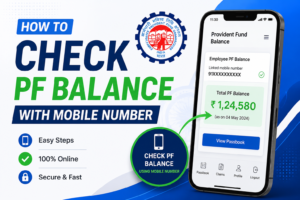
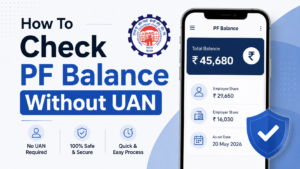
The easiest way to check your PF balance is through the official EPFO member services.
Visit the EPFO Member Portal, log in using your UAN and password, and access your PF details. EPFO has also introduced Passbook Lite inside the member portal, which provides a summarized view of contributions, withdrawals and the PF balance. The traditional EPFO Passbook portal remains available for a more detailed statement.
You can also use the official EPFO Passbook service to view your account statement and contribution history.
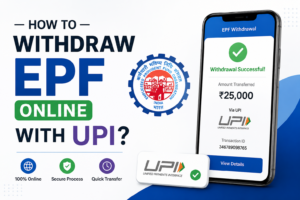
How to Withdraw PF Online
Before submitting a claim, make sure your UAN is active and your required KYC details are properly linked with your EPF account.
Step 1: Login to EPFO
Open the official EPFO Member Portal and sign in with your UAN and password.
Step 2: Go to Online Services
After logging in, open Online Services and select the option for submitting a claim.
You may see options for different types of claims, depending on your eligibility and EPF records.
Step 3: Verify Your Bank Details
Check the bank account details displayed on the portal. The account should be correctly linked with your EPF records.
If your details are incorrect or your KYC is incomplete, you may need to resolve the issue before submitting the claim.
Step 4: Select the Claim Type
Depending on your circumstances, you may be able to apply for an EPF advance, final settlement or another eligible benefit.
Select the applicable option and enter the requested information.
Step 5: Submit the Claim
Complete the required details and submit the claim using the available authentication method.
EPFO also provides online claim filing and claim tracking through the UMANG app.
Can I Withdraw PF Without Visiting the EPFO Office?
For eligible online claims, you can submit the claim electronically instead of visiting an EPFO office.
However, whether you can withdraw the full balance or only a permitted advance depends on your employment status, service history, purpose of withdrawal and the applicable EPF rules.
How to Track PF Withdrawal Status
After submitting your claim, you can track its progress through EPFO’s online services.
The UMANG app also supports claim tracking, while the EPFO member services provide access to PF-related information.
What If You Cannot Login to EPFO?
If you have forgotten your password, use the Forgot Password option on the member portal.
If your UAN is not activated, EPFO’s current portal directs members to use the UMANG app and Aadhaar-based Face Authentication for UAN activation. The older direct UAN activation facility on the member portal has been discontinued.
Important Safety Tips
Use only official EPFO services when checking your PF balance or submitting a withdrawal claim.
EPFO warns members not to share their UAN, password, Aadhaar, PAN, bank details or OTP with unknown callers or websites. EPFO also states that it does not ask members to deposit money through calls or messages.
Final Words
Checking your PF balance and submitting an eligible withdrawal claim can now be done online through EPFO’s digital services. Start by checking your PF balance and contribution history, then make sure your UAN and KYC details are in order before submitting a claim.
For the latest process, always use the official EPFO Member Portal or UMANG app, as online services and procedures can change over time.